





Free photo recovery tools have been around for a long time. Some of them have been recovering photos since the days of 2GB memory cards, and a few newer ones have earned a place next to them. Picking the right one depends less on which is “best” and more on what you lost, where it was stored and how comfortable you are with command-line or GUI-based program.
So instead of a straight ranking, this list starts with a quick way to match your situation to a tool. After that, you will find description of each free photo recovery software with a quick look at what each tool does well and where it falls short. And, finally some related FAQs that will answer your questions in very simple way.
Which Photo Recovery Software should I use?
If the photos came off a camera memory card, especially RAW files, start with Stellar Photo Recovery. If you need to recover a lot of photos and don’t want to pay anything at all, go for PhotoRec or Recuva. For a few recently deleted photos use, EaseUS, Stellar Photo Recovery, or Wise Data Recovery. And if you are happy typing a command, Microsoft’s own Windows File Recovery costs nothing and has no limits.
Quick Overview of all 7 Free Photo Recovery Tools:
Short on time? The table below sums up all seven tools but numbers don’t tell the whole story. One tool advertises free photo recovery software for Mac but won’t save a single file without payment. Another has no recovery limit but hasn’t been updated in years. And only a few can properly rebuild RAW files from your camera. These details can decide whether you get your photos back or not, so take a couple of minutes to read each review before you download anything.
| Software | Free Recovery Limit | Runs On | Ease of Use | Money-Back Guarantee | Tech Support | Price |
|---|---|---|---|---|---|---|
| Stellar Photo Recovery | 10 media files, up to 100MB each | Windows, Mac | Very Easy | 30 days | Free chat, phone and email for all editions | $49.99/year |
| PhotoRec | Unlimited | Windows, Mac, Linux | Hard for non-tech users | Not applicable | Community forum only | Free |
| Recuva | Unlimited | Windows only | Easy | 30 days (Professional) | Guides, forum; priority for Professional | $24.95/year |
| EaseUS Data Recovery | 500MB (2GB after sharing) | Windows, Mac | Easy | 30 days, technical issues only | Free tech support, live chat | $99.95/year |
| Disk Drill | 100MB (Windows), preview only (Mac) | Windows, Mac | Easy | None | Via support team | $89 |
| Wise Data Recovery | 2GB | Windows | Easy | Not clearly stated | Email; priority with Pro | $39.97/year |
| Windows File Recovery | Unlimited | Windows 10, 11 | Command line | Not applicable | Microsoft docs, community | Free |
Note: Don’t install any photo recovery software on the drive or card that held the lost photos, and always save recovered files somewhere else. Otherwise, you might overwrite the photos that you are trying to get back.
1. Stellar Photo Recovery
| Software Name: | Stellar Photo Recovery |
| Developed By: | Stellar Data Recovery Inc. since 1993 |
| Free recovery limit: | 10 media files, up to 100MB each |
| Software runs on: | Windows and Mac |
| Ease of use: | Very easy, specially developed for photographers |
| Money-back guarantee: | Yes, within 30 days on subscription |
| Technical support: | Free tech support over chat, phone, email, KBs, & help guides for all editions including free. |
| Price of Standard edition: | $49.99/year |
| Software Link: | Click to download Stellar Photo Recovery |
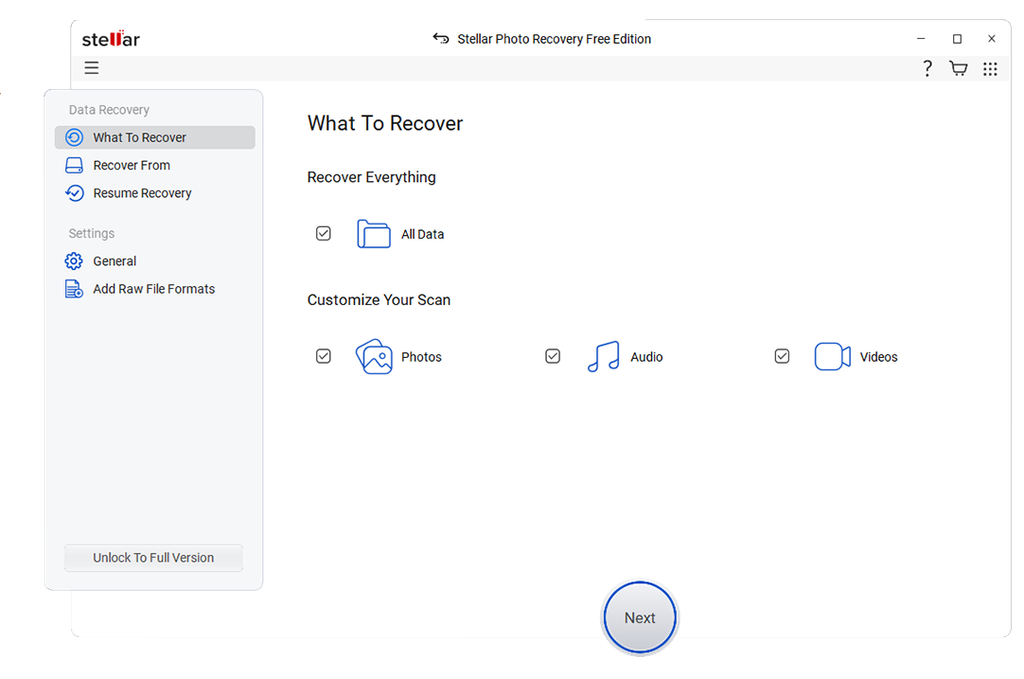
Stellar has been in the data recovery industry for more than 30 years. Its free photo recovery software, is the only tool on this list built purely for photos, videos and audio. That focus is the main reason it sits at number one. Where general tools treat a photo like any other file, Stellar supports the RAW formats of almost every camera brand, including Canon CR3 and CR2, Nikon NEF, Sony ARW, Fujifilm RAF, Olympus ORF, Panasonic RAW and Adobe DNG. Photographers, who have used other tools bring back broken or unreadable RAW files will notice the difference.
It also handles the situations where free tools usually give up. It recovers photos from formatted, corrupted and unreadable memory cards of every common type (SD, microSD, CF, CFast, XQD and more), as well as hard drives, SSDs and USB drives. It can scan BitLocker-encrypted drives and very large disks of 18TB and above. If your photo format isn’t listed, you can even add its file header yourself, which few tools make this simple.
Using it feels closer to a paid program than a free one. You pick the file types, choose the drive and click Scan. You can preview photos and videos while the scan is still running, pause a long scan and continue it later, and save the scan results so you don’t have to start over. There’s no registration needed to download it, either.
The biggest difference from the rest of the list is the backing behind it. PhotoRec, Recuva and Windows File Recovery come with no official free technical support if something goes wrong. Stellar offers 24/5 free technical support over chat, email, & call for its entire edition including Free. If you upgrade to a paid edition to recover more files, it’s covered by a 30-day money-back guarantee. That makes the upgrade a low-risk step rather than a gamble.
The free edition allows to save 10 photos/videos files (100MB each) unlike Disk Drill, which saves nothing for free on a Mac, Stellar’s free edition recovers up to 10 files on both Windows and Mac. It is best for recovering a few important photos or checking whether your card can be rescued. Because you can see every recoverable photo in the preview first, you will know exactly what you’ll get before upgrade.
2. PhotoRec
| Software Name | PhotoRec |
| Developed By: | Christophe Grenier since 2008 |
| Free recovery limit: | Unlimited |
| Software runs on: | Windows, Mac and Linux |
| Ease of use: | Text-based, for technical users |
| Money-back guarantee: | Free |
| Technical support: | Community forum only |
| Price of Standard edition: | Not applicable (free tool) |
| Software Link: | Click to download |
PhotoRec is the veteran of this list. It’s open source, made by CGSecurity alongside its sister tool TestDisk, and it has been around for well over a decade. It ignores the file system and reads the raw data on the drive, which is why it can pull photos off cards that other tools can’t make sense of.
There’s no limit on how much you recover, and it supports hundreds of file types. It doesn’t even need installing. You just unzip it and run it. The downside of PhotoRec is that it runs in a text window with keyboard menus, and it doesn’t keep original file names or folders. You will end up with folders full of files named something like f1234567.jpg. For a big recovery, set aside time to sort through them.
3. Recuva
| Software Name | Recuva |
| Developed By: | Initially developed by Piriform Software in 2007 and currently operates under Gen Digital |
| Free recovery limit: | Unlimited |
| Software runs on: | Windows only |
| Ease of use: | Easy, wizard-based |
| Money-back guarantee: | 30 days on Recuva Professional |
| Technical support: | Guides and community forum, premium support for professional edition |
| Price of Standard edition: | $24.95/year |
| Software Link: | Click to download |
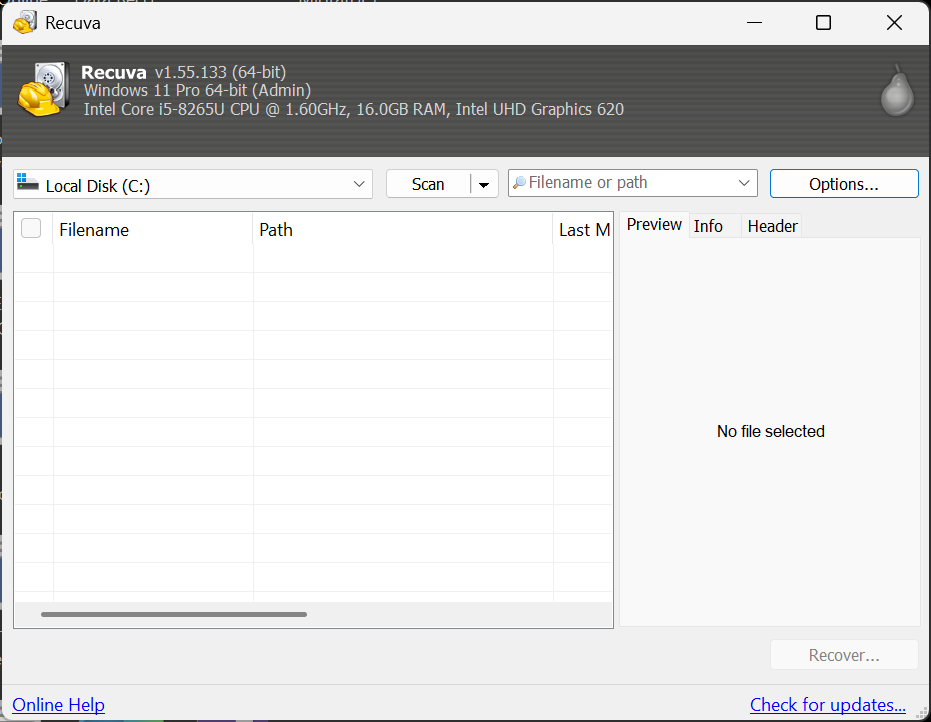
For years, Recuva was the first free data recovery software most Windows users ever tried, and it’s still a solid pick. A short wizard asks what kind of files you lost and where they were, then runs the scan. Each result gets a green, orange or red marker showing how likely it is to come back intact.
The free version has no recovery limit but it hasn’t been updated much in recent years. Some photographers mentioned that it struggles with formatted cards and newer file types. For photos deleted recently from a PC or USB drive, though, it’s hard to beat for the price.
4. EaseUS Data Recovery
| Software Name | EaseUS Data Recovery Wizard Free |
| Developed By: | CHENGDU Yiwo Tech Development Co., Ltd. since 2004 |
| Free recovery limit: | 500MB, or 2GB after sharing over social media |
| Software runs on: | Windows and Mac |
| Ease of use: | Easy |
| Money-back guarantee: | 30 days, only for users having technical issues |
| Technical support: | Free tech support and live chat |
| Price of Standard edition: | $99.95/year |
| Software Link: | Download from official site |
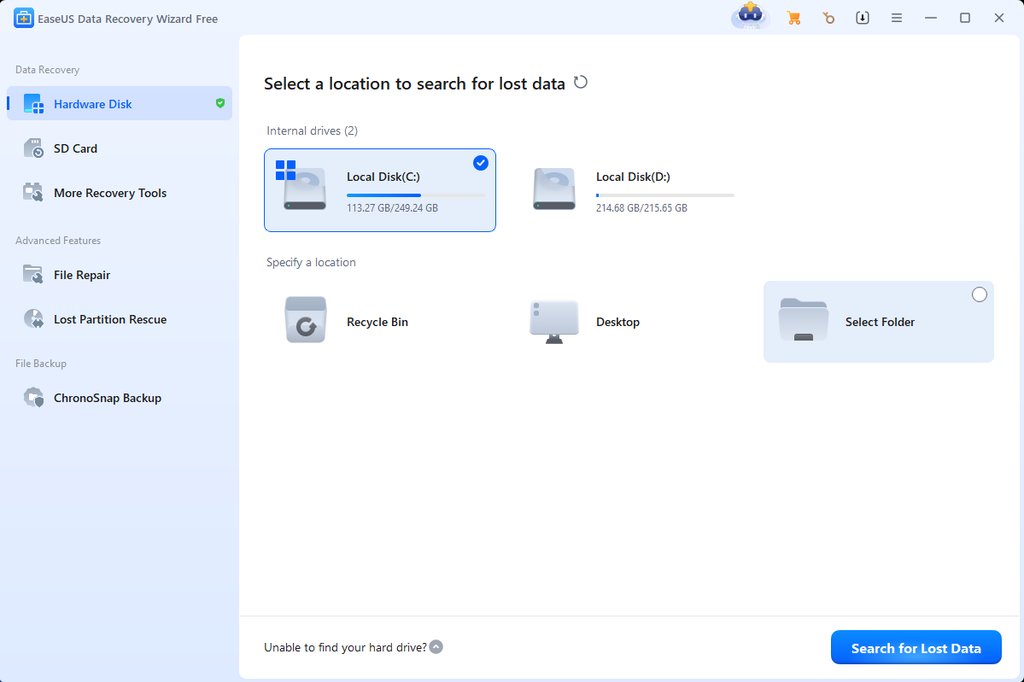
EaseUS is a well-known name in data recovery, and its free edition is a real, working version rather than a preview-only trial. You pick a drive, it runs a quick scan and then a deeper one on its own, and you can filter the results to show only images. It recovers photos along with documents, videos and other files, and it often keeps the original file names, which saves a lot of sorting.
The 2GB cap goes quickly if you shoot high-resolution photos or video, and you have to share the app on social media to unlock the full amount. Some users also dislike the telemetry settings, so it’s worth checking them after you install.
5. Disk Drill
| Software Name | Disk Drill Basic |
| Developed By: | CleverFiles Inc. since 2009 |
| Free recovery limit: | 100MB on Windows, preview only on Mac |
| Software runs on: | Windows and Mac |
| Ease of use: | Easy to use |
| Money-back guarantee: | None, all purchases are non-refundable. You will get nothing if software doesn’t work |
| Technical support: | Through chat & email only. Does not offer phone support. |
| Price of Standard edition: | $89/year |
| Software Link: | Click here to download |
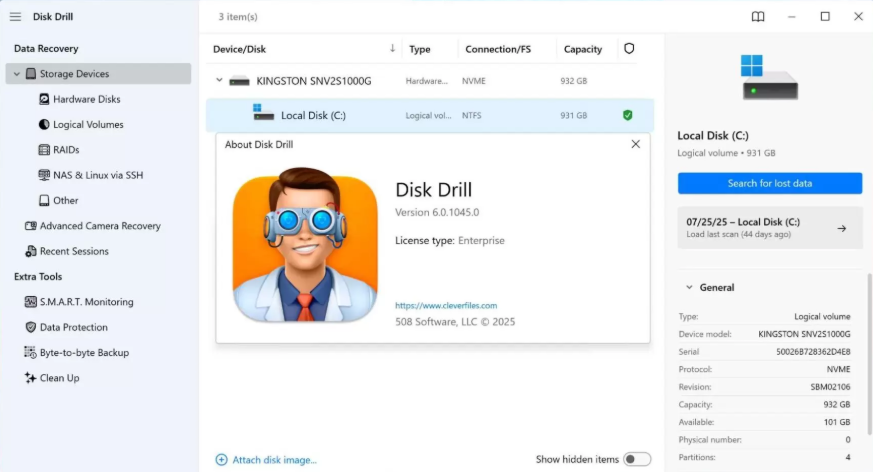
Disk Drill has one of the cleanest interfaces in data recovery software, and its free version lets you preview as many photos as you like. It also supports a long list of camera formats and storage types. The limits start when you try to save what it finds.
On Windows, the free version recovers only 100MB, which covers a few phone photos or a handful of RAW files only. Mac users get even less, because the free Mac version doesn’t recover any files at all. On its official website, Disk Drill promotes itself as free Mac data recovery software, but in practice the free Mac version only scans and previews. To save anything on a Mac, you’ll need to buy Disk Drill Pro. Before you do, note that Disk Drill Pro comes with no money-back guarantee. CleverFiles’ terms state that purchases are non-refundable, except where consumer law requires a refund. So if the recovered photos turn out to be unusable, you probably won’t get your money back.
6. Wise Data Recovery
| Software Name | Wise Data Recovery Free |
| Developed By: | WiseCleaner Technology Co., Ltd. since 2005 |
| Free recovery limit: | 2GB |
| Software runs on: | Windows only, for Mac partnership with Stellar |
| Ease of use: | Easy, lightweight |
| Money-back guarantee: | Not clearly stated |
| Technical support: | Email & Chat only for pro edition |
| Price of Standard edition: | $39.97/year |
| Software Link: | Visit this site to download |
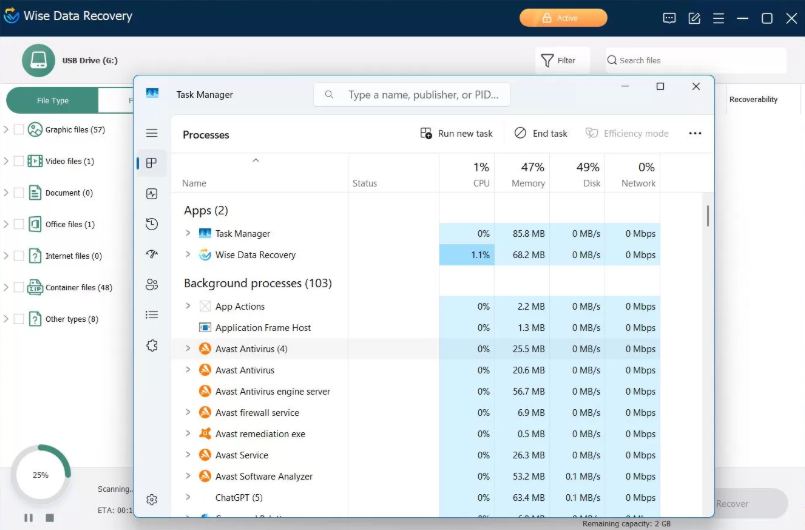
Wise Data Recovery has been developed by WiseCleaner, the company behind Wise Care 365. It’s a small download that uses very few system resources, and there’s a portable version too. The interface is modern and simple, and it shows how recoverable each file is before you save it. The 2GB free limit is one of the more generous ones here, and you can use the free version on as many computers as you like.
It’s best at recently deleted files. For formatted cards or badly damaged drives, the results can be mixed, and you may need one of the stronger tools above.
7. Windows File Recovery
| Software Name | Windows File Recovery |
| Developed By: | Microsoft Windows |
| Free recovery limit: | Unlimited |
| Software runs on: | Windows only, as the name suggest |
| Ease of use: | Command line |
| Money-back guarantee: | Free |
| Technical support: | Microsoft documentation and community forums |
| Price of Standard edition: | Not applicable (free tool) |
| Software Link: | Visit this page |
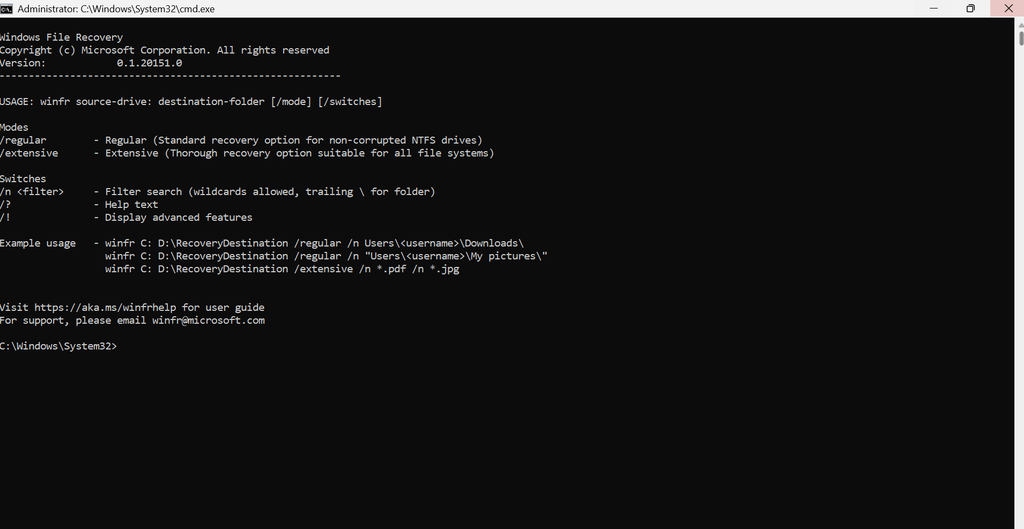
This one comes from Microsoft itself and is free on the Microsoft Store. It works on hard drives, SSDs, USB drives and memory cards, and it has two main modes: regular for recent deletions on your PC’s drive, and extensive for older deletions, formatted drives and SD cards.
There’s no recovery limit and nothing to pay. It’s also a safe, official option if you’re wary of third-party downloads. You do have to type a command, though, for example winfr C: E: /regular /n \Users\YourName\Pictures\*.jpg. There’s no preview, so you only see the results once it’s done, and a small typo means starting over.
Frequently Asked Questions
Yes, as long as you download it from the developer’s official website or the Microsoft Store. Avoid cracked versions and unofficial download sites, which can come bundled with malware.
PhotoRec, Recuva and Windows File Recovery all let you recover as many photos as you like at no cost. The trade-off is that PhotoRec and Windows File Recovery aren’t as easy to use, and Recuva is for Windows only.
Yes, some software like Stellar Photo Recovery is built for camera RAW formats such as CR3, NEF and ARW, and PhotoRec supports many of them too. General data recovery software don’t always rebuild RAW files correctly.
Often, yes. A quick format leaves most of the photo data on the card. Stop using it straight away, then scan it with a tool like Stellar Photo Recovery or PhotoRec.
Part of the file was overwritten before you recovered it. The sooner you scan after losing the photos, the fewer broken files you’ll see.
No and never. Install it on a different drive, or use a portable version from a USB stick, and always save recovered photos to another location.
When the free version shows your photos in the preview but the free limit is too small to save them all. Seeing them in the preview is a good sign that the paid version will be able to recover them.
