





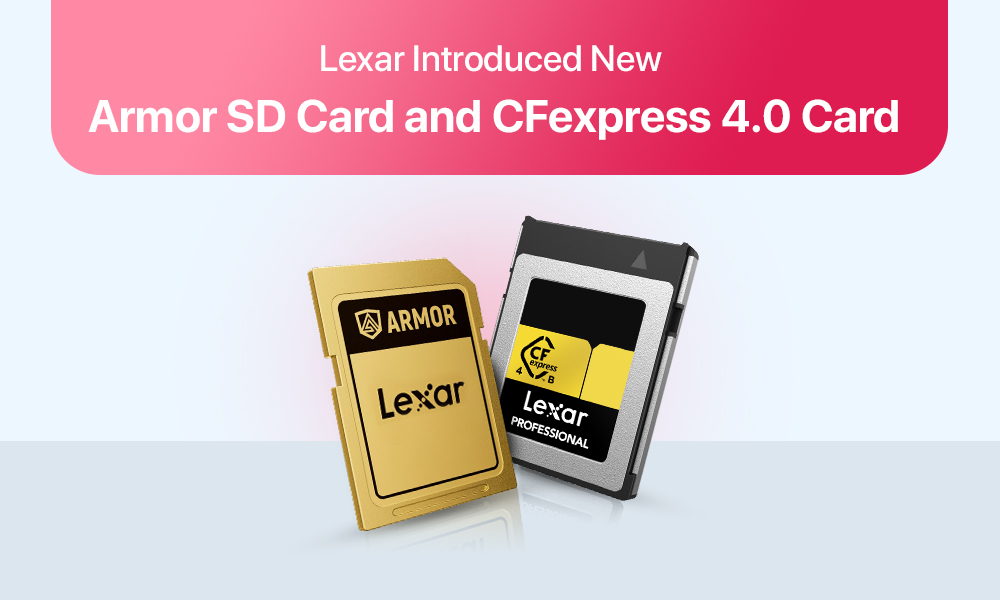
Lexar has been a familiar name on camera kits for years. In late 2025 the company is back in the spotlight with two big moves that speak to what creators actually need today. First, a tougher SD line called Armor built to survive the way people really shoot. Second, a push into CFexpress 4.0, the next step up in card speed for high-end photo and cinema work. If you shoot outdoors, record long takes, or move a lot of large files, these updates are worth a close look.
Why Lexar’s 2025 lineup matters
Cameras keep getting faster. 6K and 8K recording is common. 10-bit and 12-bit codecs push bitrates higher. High-resolution bodies shoot long RAW bursts at double digit frames per second. All of that depends on storage that can keep up without flinching. When a card stalls you feel it immediately. Buffers fill. Clips stop. Edits fall behind schedule.
Lexar’s 2025 play is to cover both sides of the need. Armor SD targets real world toughness and dependable sustained speed for creators who still rely on SD slots. CFexpress 4.0 targets pure throughput for cameras that can use the newest PCIe bus. Together they cover everything from travel and wildlife work to large commercial shoots and indie features.
Performance at a glance
If you want the bottom line without digging through spec sheets, use this quick table. It shows the common top numbers and the sustained write figures creators usually care about.
Lexar Armor SD and CFexpress 4.0 — simple performance view
| Product | Bus and format | Max read | Max write | Sustained write | Video class | Durability highlights | Best fit |
| Armor Gold SDXC 1TB | UHS-II SD | Up to 280 MB/s | Up to 205 MB/s | V60 floor 60 MB/s | V60 | Stainless steel shell, IP68, drop and shock tested, wide temp range | 4K video, high volume stills, harsh travel and weather |
| Armor Silver Pro SDXC 1TB | UHS-II SD | Up to 280 MB/s | Up to 160 MB/s | V60 floor 60 MB/s | V60 | Same rugged shell and seals, lifetime warranty in many regions | 4K video, long events, creators who prioritize toughness |
| Lexar CFexpress 4.0 Type-B | PCIe Gen4 NVMe | Up to 3,600 MB/s | Up to 2,800 MB/s | 1,000 MB/s+ target | n a | Metal housing, thermal tuning, backward support to earlier CFexpress | 8K and 6K RAW, long takes, fast offloads and quick buffer clears |
How to pick between Armor SD and CFexpress 4.0
Start with your camera slot. If your body only takes SD, Armor gives you a tougher and faster option without changing systems. If your body takes CFexpress Type-B, the 4.0 line is the easy choice for outright speed and future formats.
Then map to your work:
- Travel, landscape, street, documentary on SD-only bodies: Armor is a strong daily driver. V60 handles most 4K modes and the shell keeps working in snow, sand, and rain.
- Sports and wildlife on SD-only bodies: Armor still applies, but consider carrying multiple 128 to 256 GB cards to spread risk. Smaller cards limit how much you could lose if one is damaged in the field.
- High-bitrate video and long takes: CFexpress 4.0 is designed for this. Confirm the sustained rate your codec needs and choose capacity by scene length, not by day length.
- Mixed photo and video on a flagship mirrorless: CFexpress in slot one for heavy work. Keep an Armor SD as a second slot backup or proxy card if your body supports hybrid recording.
Capacity planning that saves shoots
Storage always runs out sooner than you expect, but a little planning can help prevent the scramble:
- Estimate with real bitrates: If your camera records at 1,000 MB per second, a 1TB card fills in under 20 minutes of continuous rolling. If you are running two cameras, double the card count or increase capacity.
- Rotate multiple cards: Two or three cards per camera spreads risk, keeps heat down, and makes offloads easier to manage during breaks.
- Label everything: Simple, clear labels on cards and in camera menus reduce mix-ups when you hand media to an assistant or DIT.
- Back up as you go: Follow a 3-2-1 habit when possible. Two verified copies on set, one more copy or upload when you reach base. Use checksum software so you know the copy matches the source.
Readers, cables, and the speed chain
Cards are only one part of the path. Offload speed is limited by the slowest link between the card and your drive.
- Use a reader that matches the card: A CFexpress 4.0 reader paired with Thunderbolt 3 or 4, USB4, or USB 3.2 Gen 2×2 keeps transfers fast.
- Pick the right port: A fast reader on an older USB port will crawl. Know which ports on your computer can actually hit the advertised rates.
- Carry the proper cables: Short, certified cables help prevent random errors and half-speed transfers. Keep a spare.
- Watch heat: Long offloads can warm any card. Normal warming is fine. Give cards a short break between big copies in hot environments.
How Lexar stacks up against the field
There are great cards from Sony, SanDisk, ProGrade Digital, Angelbird, and others. Where Lexar pushes ahead in 2025 is the combination of rugged SD and Gen4 CFexpress under one brand with broad availability.
- If you want a tougher SD that does not feel fragile in a cold glove or a crowded wedding aisle, Armor is an easy pick.
- If you need high sustained rates for 8K RAW or heavy bursts and you want something you can buy in multiple regions on short notice, CFexpress 4.0 from Lexar is competitive on both speed and price.
No single brand wins every chart in every camera. What matters is that your card meets your camera’s sustained needs, survives your environment, and is easy to replace when a client adds a day.
Pricing, value, and where to spend
Expect Armor SD to sit above basic UHS-I cards and in line with quality UHS-II options because of the metal shell and V60 rating. Expect CFexpress 4.0 to cost more than 2.0 cards of the same capacity, with prices that move as more Gen4 bodies arrive.
Where to invest first
- If your work fails when a card fails, pay for durability right away. Armor SD is a small price for peace of mind.
- If your work fails when a clip stops, pay for sustained write speed. CFexpress 4.0 protects long takes and fast bursts.
- After that, put budget into extra cards, a proven reader, and backup drives. Saved minutes and saved media pay for themselves.
Care and longevity tips
Few habits can help keep cards reliable for a long time:
- Format in camera: Do this after verified backups. This keeps the file system clean and performance steady.
- Retire cards: Dispose of those that start throwing errors or transferring inconsistently. Do not bring them to paid work.
- Store dry and clean: Use a small case that seals out dust and moisture.
- Test new cards: Do it with a full write and read before the first important job. It takes time but prevents surprises.
- Buy from trusted sellers: Counterfeits exist. Getting cards from known retailers or direct from the brand protects you from fakes and supports warranties.
Quick buyer table: which Lexar card for your job
| Your scenario | Slot on your camera | Recommended Lexar line | Why this fits | Capacity tip |
| Travel and landscape in harsh weather | SD only | Armor Gold or Armor Silver Pro SDXC V60 | Tough metal shell, V60 floor for 4K, long warranty | Two 256 GB or 512 GB cards so you can rotate |
| Weddings and events with mixed photo and 4K video | SD only | Armor Gold SDXC V60 | Reliable sustained writes and strong build for long days | 512 GB to 1 TB depending on coverage length |
| Sports and wildlife with long RAW bursts | CFexpress Type-B | Lexar CFexpress 4.0 Type-B | High sustained write keeps buffers clear between sequences | Two or three 512 GB to 1 TB cards per body |
| 6K or 8K RAW video, long takes | CFexpress Type-B | Lexar CFexpress 4.0 Type-B | Sustained 1,000 MB per second and above for pro codecs | Plan by bitrate. 1 TB can fill in under 20 minutes at 1,000 MB per second |
| Hybrid mirrorless with both slots | CFexpress Type-B plus SD | CFexpress 4.0 for main, Armor SD for backup or proxies | Fast primary capture with a tough secondary card | Match CFexpress to format needs, keep 256 to 512 GB Armor for backup |
Early impressions from the field
Creators who have used Armor praise the solid feel and the way the card shrugs off dust and moisture. The V60 rating has been enough for most 4K modes, with peaks near 280 MB per second helping for quick offloads. Cards get warm during long transfers, then cool quickly, which is normal for metal shells.
On the CFexpress side, moving to 4.0 shows up first in buffer behavior and offload times. Shooters recording heavy codecs report fewer mid-take worries and a smoother edit because files land on the workstation faster. The biggest gains arrive when every part of the chain is Gen4. A Gen2 camera or a slower reader will cap speeds, but reliability and short-burst behavior still improve.
Conclusion
Armor SD is a smart choice if your life and work are hard on gear or if weather and travel make you nervous about fragile plastic cards. CFexpress 4.0 is the right move if your camera supports it and your formats ask for real sustained speed.
Choose based on your camera slot first, then match the card to your heaviest format and your working conditions. Add a solid reader and a simple backup routine. With that setup, you will spend less time worrying about the media and more time shooting, which is the whole point.
If you want the short version:
- Armor for tough SD workflows that need V60 and a shell you can trust.
- CFexpress 4.0 for the cameras and codecs that can use Gen4 speed today and will only push harder tomorrow.
Here is your content in clean, copy-paste ready format for Word or Google Docs. The content is unchanged, only spacing and formatting have been standardized.
The choice between the two really comes down to what you’ll be using the media for. If you’re shooting video for social media or some short-form videos, a UHS-II SD card should suffice. However, if you’re looking to store more extensive content such as 8K video, 4K raw, or large quantities of still photos, then you’ll need to spring for
You only need a CFexpress 4.0 card if you have a camera with a Type-B CF slot, and if the bandwidth of the media you are recording is greater than what a UHS-II V60 card can provide. So for cameras with SD slots and recording 4K or high resolution images there is no reason to use anything other than a good UHS-II V60 class card like the Lexar Armor card. There is no need for a CFexpress 4.0 card. You need a CFexpress 4.0 card only if you have a camera with a Type-B slot and if you are recording 6K, 8K high bitrate data or long sequences of RAW and if the camera is filling the buffer quickly meaning that the card clearing speed of the UHS-II V60 card is not sufficient.
Most 4K applications Yes. The V60 rating verifies a minimum sustained write speed of 60 MB/s. So most 4K 10-bit modes on all current mirrorless cameras are covered. However, certain higher bitrate codecs (such as V90 or CFexpress) may be required. Always refer to the camera manual to determine the minimum sustained write speed required for the chosen codec.
Write Speed The max write speed is the burst speed of the card. The sustained write speed is what the card can maintain over time. For video creators the sustained write speed is far more important. If the sustained write speed of a card drops below the bitrate of your camera the video recording may stop mid-stream and have to be restarted. This is why the video class ratings such as V60 were developed.
In the real world, yes. The stainless steel shell is a lot harder to crack than the plastic body. If your camera ends up in the sand, snow, rain, or in a crowded night club and your camera is taking the impact of the floor with some frequency, the extra shock absorbing qualities of the stainless steel shell might end up being valuable. It won’t turn your card indestructible, but it’s likely to drop the odds of it getting scratched and reduced the chances that you’ll have to have your card repaired by the manufacturer.
More than you think you need. All professional memory cards recommendations are for a minimum of 2-3 cards per camera. Constantly changing out memory cards will help to keep your media hot spot down, also the less time a memory card is exposed to the elements, the less likely it is to fail. In the event of a failed memory card you won’t lose a full day of media as the failed card can be replaced and shooting can continue. Using lower capacity memory cards can also reduce media loss in the event of a failed memory card.
Yes, in most cases. CFexpress 4.0 Type-B media will work in most cameras that accept a Type-B card. Generally, if a camera accepts the old spec, it will accept a media card that follows the CFexpress 4.0 spec. However, the camera’s maximum read/write speed will be its native max, not the max speed of the new card. The camera won’t be able to use the new Gen 4 speed, if the camera doesn’t natively support that speed.
A fast card is only one component in achieving fast write speeds to a memory card. The reader, cable and computer port can all affect transfer speed. I tested out a couple of very fast CFexpress cards on an old system, and even though the camera could write the data to the card very quickly, it was limited by the slower write speeds to the computer when it had to be written out over a USB 3 connection. Thus a faster reader and higher bandwidth computer port can be very important for achieving fast transfer speeds.
Memory cards are not considered “forever gear”. If a memory card appears to be malfunctioning or showing a slowdown in writing or reading data, it should be taken out of rotation and not used for paid work. Some photographers may repurpose older memory cards for personal projects while using newer memory cards for commercial jobs.
Mainly for recreational use. I was amazed at how quickly it could fill up when doing longer 6K or 8K V-logs. Always take into account the bitrate of the format you are using. High bitrate formats will fill a 1TB card much quicker than you would think.
A lot of people are starting to ask about SSDs and cards for storage, and how to keep their data safe. Well here is my 2 cents on the matter. I always recommend having multiple cards, and using checksum validation software to verify backups. However, the best practice to follow is the 3-2-1 rule. No card, SSD or even the best hard drive can replace good backup practices.
