





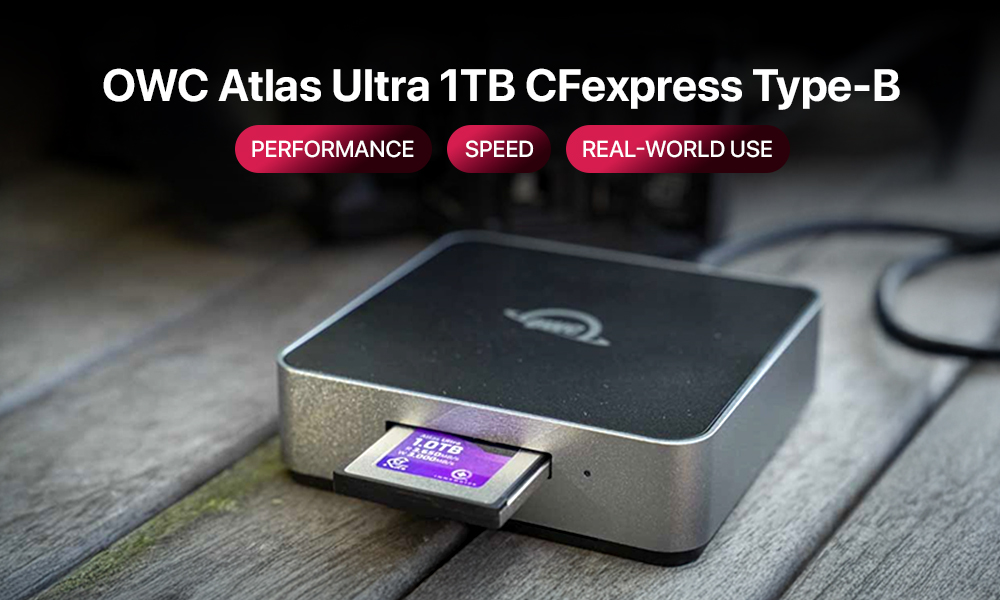
Pro video, photo, and hybrid cinema work in 2025 pushes storage harder than ever. If you shoot long takes in 8K RAW, rapid wildlife bursts, or client projects that must deliver on time, your memory card is not a simple accessory. It is part of the capture pipeline. Slowdowns mean missed frames, clogged buffers, or corrupted clips. OWC’s 1TB CFexpress Type-B Atlas Ultra steps into this world with headline speed, strong sustained performance, and rugged build quality. This guide explains what it is, how it compares, where it fits, and what to watch before you buy.
Why CFexpress matters in modern workflows?
File sizes have exploded. Mirrorless flagships and cinema bodies record 6K and 8K in 10-bit and 12-bit formats, sometimes in RAW. Sports and wildlife photographers fire long bursts at 40 to 120 frames per second. The result is a constant stream of large files that need to reach your card without a hiccup.
CFexpress Type-B solves a big part of that problem. It uses a PCIe interface with the NVMe protocol, the same family of tech that powers fast laptop and desktop SSDs. Compared with older SD and XQD options, CFexpress clears buffers faster, records at higher bitrates without drops, and offloads to your computer in a fraction of the time. That is why you see CFexpress Type-B slots on cameras from Canon, Nikon, Panasonic, RED, and other cinema brands. It is the path to stable capture at today’s resolutions and tomorrow’s.
OWC Atlas Ultra 1TB at a glance
OWC positions the Atlas Ultra for demanding shooters who need both speed and stamina. Peak numbers look impressive, but the story is the card’s ability to hold high-write rates over time. That is what keeps a long 8K clip clean and a long burst free of pauses.
OWC Atlas Ultra 1TB — key specifications
| Spec | Details |
| Interface and bus | PCIe Gen 4.0 x2, NVMe |
| Capacity | 1TB (CFexpress Type-B form factor) |
| Sequential read | Up to 3,650 MB/s |
| Sequential write | Up to 3,000 MB/s |
| Sustained write | 1,500 MB/s targeted for long-form capture |
| Operating temperature | −12 °C to 72 °C |
| Durability | Impact, shock, bend, ESD, X-ray, UV resistant housing |
| Compatibility | CFexpress 4.0, backward compatible with CFexpress 2.0 and 1.0; RED approval on supported bodies |
| Warranty | 2 to 3 years depending on region |
| Weight | About 27 g |
Why sustained speed matters: a camera that writes 1,000 MB/s for a specific RAW format needs a card that can hold that rate minute after minute. A high peak that falls off after a short burst does not help once the buffer fills. The Atlas Ultra’s sustained figure is the reason it aims at serious video and long action sequences.
How it compares to other CFexpress options
You have strong brands to choose from in CFexpress Type-B. Many advertise similar peaks. Real-world differences show up in long recording sessions, heat management, and compatibility lists. Below is a simple comparison of popular high-end lines often considered by working creators.
| Brand and line | Max read (MB/s) | Max write (MB/s) | Sustained write (MB/s) | Largest common capacity | Durability notes |
| OWC Atlas Ultra 4.0 | 3,650 | 3,000 | 1,500 | 2TB | Rugged housing, broad thermal envelope |
| Lexar Professional Diamond | 1,800 | 1,700 | ~800 | 1TB | High durability, strong UHS-II heritage |
| SanDisk Extreme Pro CFexpress | 1,700 | 1,200 | ~800 | 512GB | Popular, widely available |
| Sony TOUGH CFexpress Type-B | 1,800 | 1,480 | ~800 | 960GB | TOUGH build, trusted in broadcast |
Numbers shift by capacity and camera firmware, and vendors update lines over time, but the pattern is clear. OWC pushes both peak and sustained speeds higher than the group above, and it supports the newer CFexpress 4.0 bus. That makes it attractive if you work at the edge of what current cameras can record.
Best-fit use cases
Not every job needs top-tier CFexpress. The Atlas Ultra shines when your camera and your workflow demand it.
8K, 6K, and high-bitrate RAW video
If you record ProRes RAW HQ, REDCODE, BRAW, N-RAW, Canon RAW Light, or other demanding formats, your camera may ask for 800 MB/s to well over 1,000 MB/s in sustained writing. The Atlas Ultra’s 1,500 MB/s sustained target gives you margin for long takes, complex scenes, and hot shooting conditions where many cards throttle.
Long burst photography for sports and wildlife
High-resolution bodies that fire at 30 fps or more can flood a buffer fast. A faster CFexpress card moves those frames off the buffer quickly, so you can keep shooting with fewer pauses. If you track fast subjects or cover action for hours, that recovery time matters more than any single peak score.
On-set dailies, AR and VR capture, and fast hand-offs
Many sets copy media to multiple destinations during breaks. Faster offloads mean more uptime for the camera and less stress for the DIT. If you use external recorders or multi-camera rigs, card speed reduces total turnaround time for each card rotation.
Harsh travel and variable weather
The Atlas Ultra is rated for a wide temperature range and resists shock and bending. If you work from deserts to cold mornings, or pack gear tight for flights and off-road travel, that physical toughness helps protect your footage.
Slot standards, readers, and real-world speed
CFexpress performance is a chain. A strong card cannot exceed the slowest link. To get what you are paying for, check these items.
- Camera slot version
Cameras with CFexpress 4.0 support give the Atlas Ultra room to stretch. Bodies with CFexpress 2.0 will still benefit, but your top speeds will mirror the older bus. You still gain from the card’s sustained behavior and build quality. - Reader choice
Use a reputable CFexpress 4.0 reader connected over USB 3.2 Gen 2×2, Thunderbolt 3 or 4, or USB4. A slow or cheap reader can cut offload rates in half. Keep a spare reader on bigger jobs. - Cables and ports
Match cable and port capability. A Thunderbolt reader on a USB 3.1 port will not reach its potential. Use short, certified cables, label them, and keep them with the reader. - Heat and throttle behavior
CFexpress cards get warm while writing fast. The Atlas Ultra is designed to manage heat, yet airflow still helps. In hot environments, give the card a moment between long takes, rotate multiple cards, and avoid leaving a card baking in a closed car.
Capacity planning and data safety
One terabyte sounds huge until you record modern formats. Plan capacity with the same care you give lenses and batteries.
- Rough footage math
Bitrates vary, but as a simple guide: a 1,000 MB/s format can fill 1TB in under 20 minutes of continuous recording. If you record multiple cameras or run takes back to back, you will want several cards and a disciplined offload routine. - Rotate cards, reduce risk
Two or three 1TB cards are often safer than one large card. If a card is lost or damaged, you lose less. Label each card clearly and track it on the call sheet. - Adopt 3-2-1 backups
On set, copy each card to at least two separate destinations, then keep one copy physically separate. Verify every copy with checksum software before reformatting a card. - Format in camera
After safe offloads and verification, format the card in the camera that will use it. This reduces file system issues and keeps write performance consistent.
Cost, compatibility, and more
High performance cards cost more, and it is smart to align spend with business needs.
- Price and value
The OWC Atlas Ultra 1TB typically sits in the mid to upper tier of CFexpress pricing. It is far above consumer SD prices, but competitive against other pro cards with similar ambitions. For paying work, time saved on set and in offload can justify the difference quickly. - Camera firmware
Some cameras add or optimize CFexpress support through firmware. Before a job, update the body and confirm the card appears on the vendor’s compatibility list. This is especially important for brand-new models and brand-new card lines. - Reader and OS support
Newer CFexpress 4.0 readers may need current drivers or OS updates for full speed. Test your ingest station with a stopwatch before a deadline. - Counterfeits
CFexpress cards are at risk of counterfeits, although less so than microSD. Buy from trusted dealers, check packaging, and test a new card with a full write and verify pass before you rely on it.
When OWC Atlas Ultra is overkill, and what to buy instead
Not every workflow needs 1,500 MB/s sustained. If you shoot 4K Long GOP at moderate bitrates, or short bursts in stills, a more affordable CFexpress Type-B with lower sustained ratings may be enough. If your camera is SD-only, a top-tier UHS-II V90 SD card is the right path until you upgrade bodies. Match the card to the heaviest format you expect to use in the next year, not to a spec you never record.
Simple buying checklist
Use this quick list before you hit “add to cart.”
- Confirm your heaviest format: What resolution, codec, and frame rate will you record, and what sustained rate does it require.
- Check slot and firmware: CFexpress Type-B, version support, and latest camera firmware installed.
- Choose capacity by job length: For long takes in high-bitrate RAW, plan multiple 1TB cards, then add safety margin.
- Pick a proper reader and cable: CFexpress 4.0 reader with a fast interface, short certified cable, and a tested ingest port.
- Plan offload and backup: Two independent copies, checksum verification, and card rotation.
- Order from a trusted source: Keep receipts and packaging until you have tested the card.
Real-world setup tips
- Build a mini ingest kit: Keep a CFexpress 4.0 reader, two short certified cables, a small USB-C power meter, and gaffer tape in a pouch. You can swap a bad cable or verify a slow port on the spot.
- Name cards in camera: Some cameras let you name cards. Use short, clear IDs that match the labels on the shell. This reduces mistakes during hand-offs.
- Log shots while offloading: If you do not have a DIT, make a simple spreadsheet with card ID, reel, start and end time, and where the copies live. This speeds up the edit and protects you if a client asks for a specific take.
- Mind the environment: In hot locations, store cards in a shaded pouch, not on a metal cart in direct sun. In cold locations, keep spare cards inside an inner pocket so they start warm.
Verdict: Who should buy OWC’s 1TB Atlas Ultra?
If your camera and your work live near the limits of current capture, this card earns a spot in your kit. It is a strong match for:
- Cinematographers recording 6K and 8K at high bitrates or in RAW
- Sports and wildlife shooters who live in long bursts and need fast buffer clears
- Documentary teams and branded content crews who offload many times per day
- Creators who travel in hot, cold, or rough conditions and value a tougher shell
If you shoot lighter codecs, shorter takes, or SD-based cameras, consider more affordable CFexpress lines or UHS-II SD until you upgrade. The key is to buy for the work you actually do, then scale up when your formats demand more.
OWC’s Atlas Ultra 1TB makes a clear promise: strong sustained speed, modern bus support, and a build that stands up to long days. For many professionals, that combination removes a weak link in the capture chain and turns storage into something you do not have to think about, which is exactly the point.
Quick comparison table for shoppers
If you only have a minute, start here.
| Use case | Recommended card type | Why this tier | Capacity tip | Reader tip |
| 8K RAW or high-bitrate 6K video | OWC Atlas Ultra 1TB CFexpress Type-B | High sustained write, CFexpress 4.0 support, rugged build | Two or three 1TB cards per camera for long days | CFexpress 4.0 reader on Thunderbolt or USB 3.2 Gen 2×2 |
| Fast wildlife or sports bursts | OWC Atlas Ultra 1TB or similar high-end CFexpress | Faster buffer clearing between long bursts | At least two cards, rotate to manage heat | Keep a spare reader and labeled cables |
| 4K Long GOP, moderate bitrates | Mid-tier CFexpress Type-B | Enough sustained speed without top-tier price | 512GB to 1TB depending on day length | Quality USB-C reader, tested cables |
| SD-only cameras | UHS-II SD V90 | Meets many 4K needs until you upgrade bodies | Several 128 to 256GB cards for redundancy | UHS-II SD reader, checksum offloads |
Final thought
Great pictures and clean sound still win the day. The right card makes them possible by staying out of the way. If your camera can use CFexpress Type-B and your work pushes past the comfort zone of older media, OWC’s Atlas Ultra 1TB is built to keep pace. Buy it for the jobs that demand it, pair it with a solid reader and backup plan, and it will return the favor with reliable capture and faster turnarounds.
Frequently asked questions
Yes. It will run at the camera’s bus speed. You still benefit from the card’s sustained write behavior and rugged design.
It depends on the camera and compression setting. As a rough example, a 1,000 MB/s stream yields under 20 minutes per 1TB. Heavier streams cut that time. Always check your camera’s bitrate chart.
You can, but many crews spread risk across multiple 1TB cards and offload between setups. That makes backups easier and reduces single-card risk.
CFexpress has high endurance, but heavy professional use wears any flash memory. Track hours and cycles. If a card throws errors or slows down in tests, retire it before a critical job.
Heat and controller management. Cards that advertise only peak speeds may drop under sustained load. That is why sustained write ratings and thermal design matter.
