





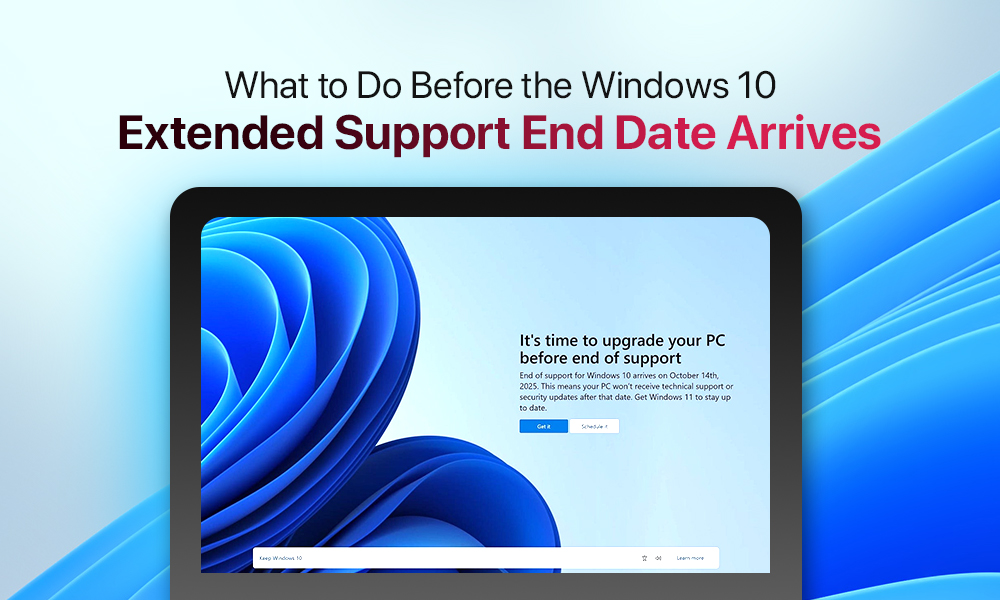
It’s official. Windows 10’s servicing lifecycle ended in October, 2025. Yet a substantial portion of users remains faithful to the OS. Whether by choice, hardware constraint, or deferred migration, you can’t put off the migration from Windows 10 any longer. It’s time to get proactive.
End of support for Windows 10 isn’t about the OS suddenly dying. It’s about attack surface expansion, EOL debt, and your migration timeline. Here’s what the technical reality actually looks like.
In This Blog Post
What Does Windows 10 End of Life Actually Mean?
Why Does Windows 10 Still Matter?
- Crossing over to Windows 11
- Extended Security Updates program
- Linux migration
- Switching to ChromeOS Flex
- Upgrading your hardware
What If You Ignore Windows 10 EOL?
What Does Windows 10 End of Life Actually Mean?
The final cumulative update was shipped on October 14. Next, the servicing stack went quiet. No patches. No fixes. No exceptions. Microsoft’s obligation ends at the changelog. What runs on your machine after this point is basically your problem. Not death, but abandonment.
Attackers know the schedule better than most sysadmins do. EOL dates get circled. Exploit kits get updated. The vulnerability surface doesn’t freeze; it compounds.
Why Does Windows 10 Still Matter?
Microsoft made efforts to advertise Windows 11 as best they could. But the results are as follows:in March 2026, around a billion users worldwide are still running Windows 10. Now, it seems like a problem waiting to materialize.
What Are Your Options?
Solution 1: Crossing over to Windows 11
Before initiating any migration path, validate each endpoint against Microsoft’s minimum hardware provisioning requirements.
Device requirements:
- TPM 2.0, UEFI
- Secure Boot
- CPU on Microsoft’s supported list
Pro Tip: Run “Get-WindowsUpdateLog” or use PC Health Check to confirm eligibility before proceeding.
One legitimate gripe: Microsoft’s side-channel requirement for TPM 2.0 excludes machines that are fully capable of running a modern OS. The decision was framed around security, but it’s also conveniently aligned with hardware refresh incentives.
Solution 2: Extended Security Updates program
In a way, we talk here about buying time, not a solution. Microsoft opened the consumer Extended Security Updates program for the first time in Windows 10’s lifecycle. It delivers critical and important-rated patches only. It means no quality updates, no driver fixes, no new functionality.
Enrollment options:
- Free via Windows Backup + OneDrive sync or 1,000 Microsoft Rewards points
- Flat $30 one-time purchase.
- Volume-available licensing for sysadmins through standard channels.
Treat ESU as a runway, not a resolution. It’s useful if you’re mid-migration on a complex enterprise environment or waiting on a LoB application to certify on Win11. It is not a long-term support contract.
Solution 3: Linux migration
If your hardware is TPM 2.0-deficient but otherwise solid, Linux is the rational call. The question is which distribution fits the use case.
| Linux Mint | Zorin OS | Ubuntu LTS | Debian Stat | |
| Target use case | Windows-to-Linux transition, desktop daily driver | Windows-conditioned users, low hardware overhead | General-purpose, enterprise desktops, server | Headless servers, air-gapped, controlled environments |
| UX familiarity | High: taskbar layout mirrors Windows | High: Windows-mode layout option built in | Medium: GNOME paradigm requires adjustment | N/A: typically headless |
| Hardware detection | Solid: broad driver support out of the box | Solid: based on Ubuntu, inherits driver stack | Solid: mainline kernel, wide HW support | Manual: non-free firmware opt-in required |
| Support cycle | 5 years per major release | Based on Ubuntu LTS cadence | 5 years standard, 10 yrs extended (Pro) | 3-year cycle, conservative update policy |
| Best for | Home users and SMBs migrating Windows fleets | Non-technical end users needing zero learning curve | Devs, mixed workloads, cloud-adjacent infrastructure | Sysadmins, servers, reproducible controlled deployments |
Solution 4: Switching to ChromeOS Flex
Google’s answer to the EOL problem is ChromeOS Flex.
Here are some of the system’s benefits:
- Lightweight and browser-first OS
- Can be flashed onto x86-64 machines
- Modest specifications (4 GB RAM, 16 GB storage, UEFI boot).
- A certified device list with verified driver support.
It’s not free of disadvantages, and it’s worth being precise about what Flex is.
ChromeOS Flex’s drawbacks are:
- No Google Play Store
- No Android app support
- Linux app support only on certified models.
If your workload is browser-native, it delivers a clean, auto-updating environment at zero licensing cost. It’s a legitimate option for thin clients, but not for power users.
Solution 5: Upgrading your hardware
Users can also simply replace the device with a new model.
A modern Windows 11 machine comes with:
- TPM 2.0
- Secure Boot
- Hardware-backed virtualization
- Full security stack
If your existing hardware is approaching the end of its practical support window anyway, you’d probably be better off budgeting for replacement than extending the life of aging silicon.
What If You Ignore Windows 10 EOL?
The EOL isn’t immediately fatal. Technically, you can stay where you are, but practically, the window for comfortable ignorance is closing fast.
Windows 10 still runs. The ESU program buys you until October 2026, and even that is borrowed time with a known expiry. After that, you’re running an internet-connected OS with a frozen patch surface. The upgrade question is about whether you’re comfortable owning the full risk surface of an unsupported OS with no remediation path. Most organizations and individuals aren’t and shouldn’t be.
In Conclusion
October 2026 is a hard stop. Windows 10 becomes an unpatched system susceptible to all kinds of vulnerabilities. The next steps are well-defined. You should audit hardware against Windows 11 eligibility requirements and commit to a migration path. Do it before the servicing window closes.
